Seat activation codes
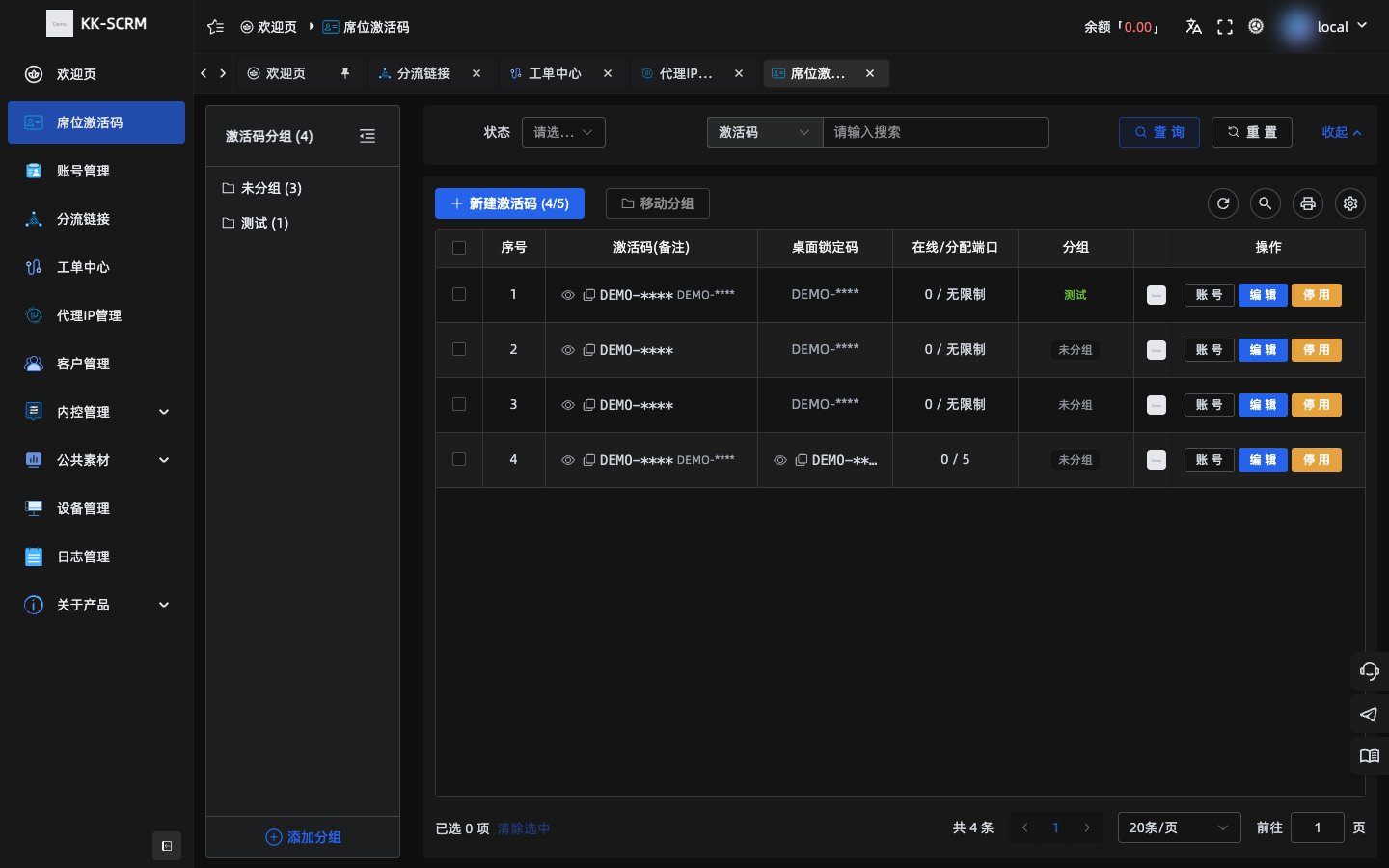
Seat activation codes open desktop client login seats and limit available ports. Staff sign in on desktop with the code; admins manage everything in the console.
Core concepts
| Term | Description |
|---|---|
| Activation code | System-generated 12-character alphanumeric string, example: Ab12Cd34Ef56 |
| Port | How many sessions a seat can keep logged in at once |
| Zeroing time | Reference time when ticket and related daily stats reset |
Create and manage
- Open Seat activation codes in the console.
- Create a seat; the system generates an activation code.
- Set port limit, zeroing time, and more, then enable.
- To stop use, disable the code in the list (disabled codes cannot sign in on desktop).
Desktop sign-in
- Install and open the desktop client.
- Enter the 12-character activation code on the sign-in page, accept the terms, and sign in.
- The client reports device info, completes validation, and opens the welcome or session page.
- Optional “Remember me”; if you forget the code, ask an admin.
TIP
Desktop sign-in uses the activation code, not the console email/password.