Dispatch links
Dispatch links assign an outbound short link to multiple marketing accounts by rules, forming a trackable fan-acquisition loop. Suitable for ads, landing-page buttons, community diversion, and similar scenarios.
Core concepts
| Term | Description |
|---|---|
| Short link | Outbound link for promotion; example domain: https://kktuc.top/AbCdEfGhIjKlMnOp |
| Account scope | Online only or All marketing accounts take part in assignment |
| Dispatch mode | Sequential / Random / Serial |
| Sticky IP | When on, the same visitor IP preferably lands on the same marketing account |
| Country rules | Blacklist blocks access / whitelist allows access only |
| Blocked devices | Can block specific computer or phone types |
UI preview
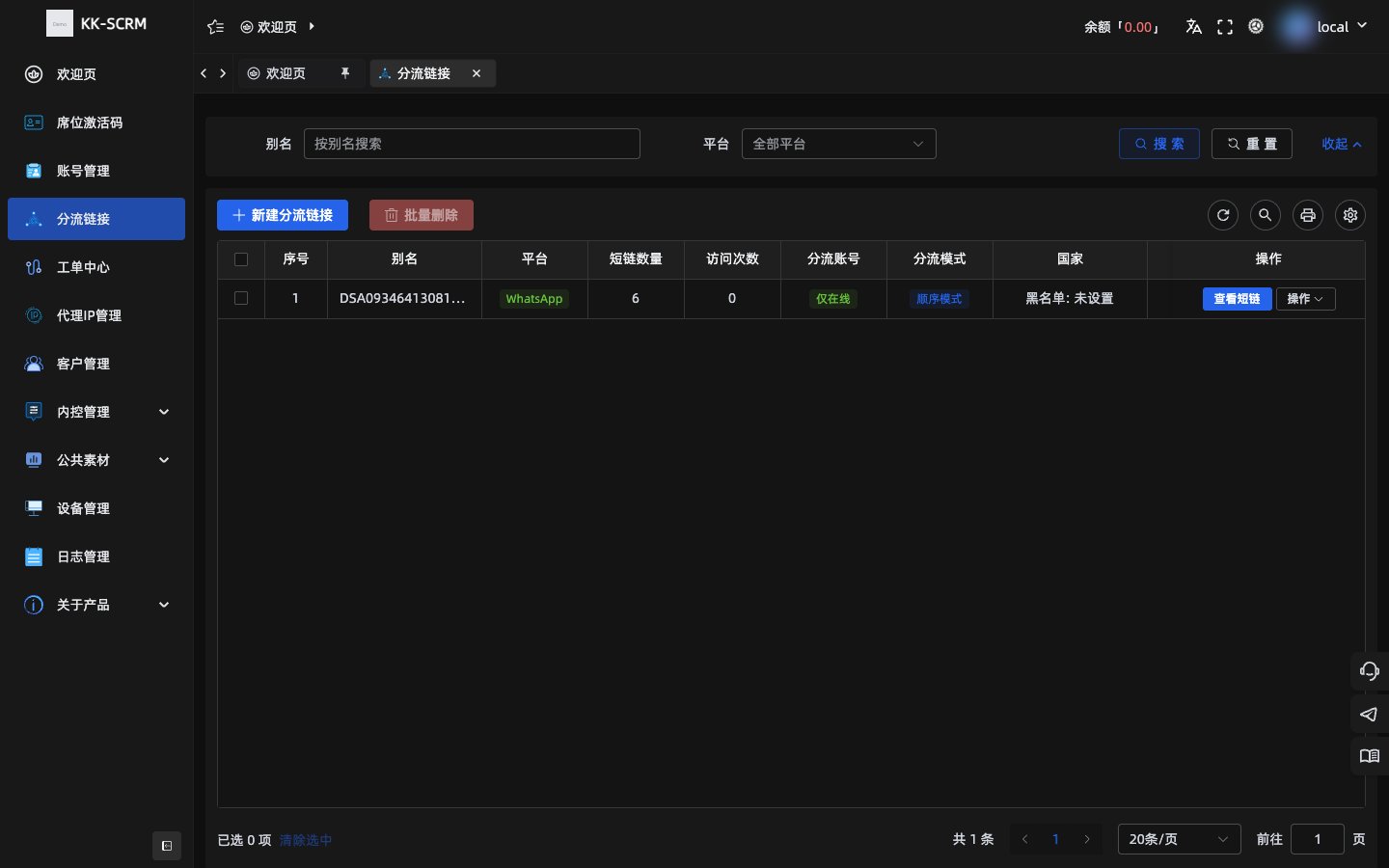
Create a dispatch link
- Open Dispatch links in the console → Create.
- Choose the short-link domain (currently options such as
kktuc.top). - Enter an alias (optional; if empty the system generates one, e.g.
DSA…). - Choose platform: WhatsApp or Telegram.
- Set short-link count (1–50; after edit you can only increase, not decrease).
- Configure account scope, mode, sticky IP, country and device rules.
- Optional: welcome message, notes, default 404 redirect (used when no account is available, blocked, or the short link is invalid).
- Save and copy the short link for promotion.
Assignment rules
| Mode | Behavior |
|---|---|
| Sequential | Round-robin over the account list |
| Random | Pick at random from available accounts each time |
| Serial | Prefer the first available account; fall through if unavailable |
| Account scope | Behavior |
|---|---|
| Online only | Assign only currently online marketing accounts |
| All | Ignore online status |
TIP
Before promoting, confirm target marketing accounts are online on desktop—especially when using Online only.
Country and device filters
- Country blacklist: selected countries are blocked.
- Country whitelist: only selected countries are allowed; an empty whitelist may reject everyone—configure carefully.
- Blocked devices: you can check Windows / Mac / other computers, and Android / iPhone / other phones.
Access logs and short-link management
In the list you can:
- View and copy generated short links
- View access logs to verify visits and redirects
- Edit rules (note short-link count only increases)
- Batch-delete unused links
mermaid
flowchart LR
  visit[Visitor opens short link] --> filter[Country/device filter]
  filter -->|Pass| pick[Pick marketing account by mode]
  filter -->|Block| fallback[404 or default link]
  pick --> jump[Jump to platform session]
  pick -->|No account| fallback
Common misconfigurations
| Issue | Likely cause |
|---|---|
| Short link opens as 404 / invalid | Link deleted, no available account, or blocked by country/device |
| Always same account | Sticky IP is on, or first account stays available under Serial |
| Few fans | Online only but accounts offline; or filters too strict |